If you work with dates in SAS — tracking aging reports, calculating tenure, building SLA dashboards, or auditing data freshness — you’ll eventually need to calculate the number of days between two dates in SAS. It’s one of the most common date-handling tasks in SAS programming, and thankfully, SAS gives you several clean, reliable ways to do it.
In this guide, we’ll walk through the most practical methods to calculate days in SAS using the INTCK and INTNX functions, with real code examples you can copy, run, and adapt.
- Calculating days elapsed since the start of the year for YTD reporting
- Finding days since a fixed reference date (e.g., project start, account opening date)
- Measuring customer tenure, invoice aging, or SLA breach windows
- Feeding date-driven logic into downstream BI or SAS Viya reports
Let’s look at the two most reliable approaches: using INTCK with INTNX, and using INTCK with a hardcoded date.
Method 1: Calculate Days Since the Start of the Current Year
The INTNX function moves a date forward or backward by an interval, while INTCK counts how many interval boundaries occur between two dates. Combined, they’re perfect for calculating year-to-date day counts.
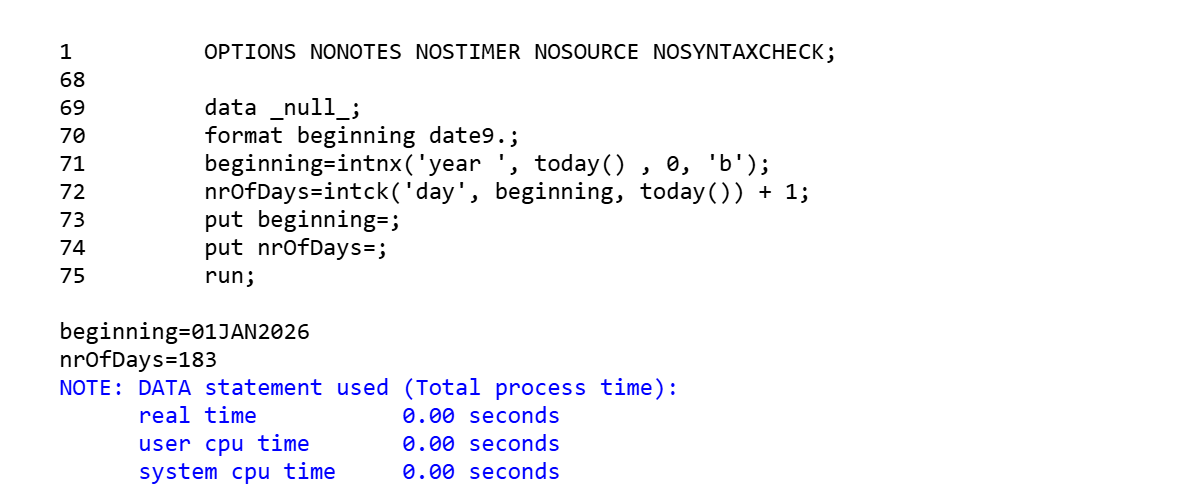
data _null_;
    format beginning date9.;
    beginning = intnx('year', today(), 0, 'b');
    nrOfDays = intck('day', beginning, today()) + 1;
    put beginning=;
    put nrOfDays=;
run;How it works:
intnx('year', today(), 0, 'b')— Takes today’s date and returns the beginning (‘b’) of the current year interval (i.e., January 1st of this year). The0means “stay within the current year” (no shifting forward or back).intck('day', beginning, today())— Counts the number of day boundaries crossed between January 1st and today.- We add
+ 1becauseINTCKcounts interval boundaries crossed, not calendar days inclusive of the start date. Adding 1 gives you the correct “Day X of the year” count. - The
format beginning date9.;statement ensures the date prints in a readableDDMMMYYYYformat (e.g.,01JAN2026) instead of a raw SAS numeric date value.
Output:
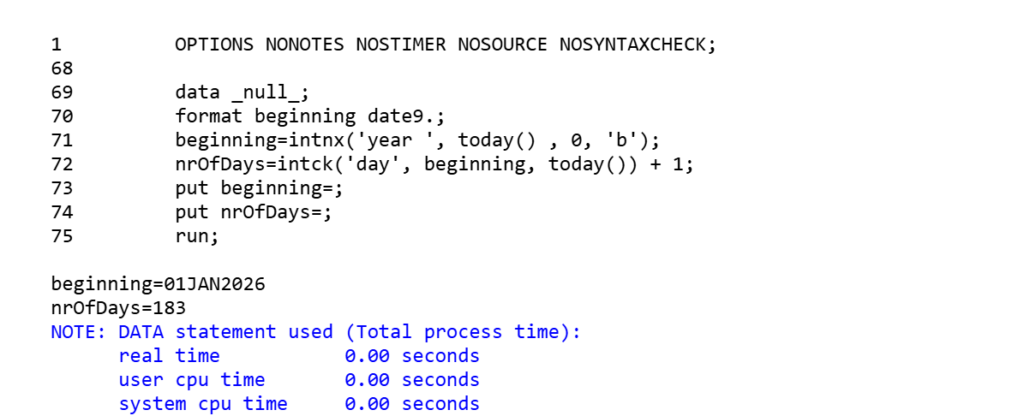
This pattern is extremely useful for YTD (year-to-date) calculations in reporting datasets, without hardcoding the year anywhere — it dynamically adjusts based on today().
Method 2: Calculate Days Since a Fixed Reference Date
Sometimes you don’t want days since the start of the year — you want days since a specific, fixed date, such as a contract start date or system go-live date.
data _null_;
    nrOfDays = intck('day', '01JAN2023'd, today()) + 1;
    put nrOfDays=;
run;How it works:
'01JAN2023'dis a SAS date literal — thedsuffix tells SAS to interpret the string as a date constant rather than plain text.intck('day', '01JAN2023'd, today())counts the number of day boundaries between January 1, 2023 and today.- Adding
+ 1again adjusts the count to be inclusive of the start date.
Output:
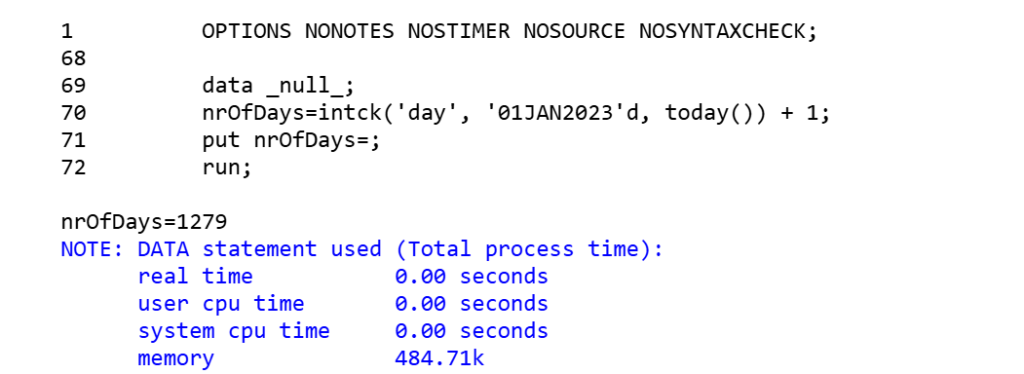
This approach is ideal when calculating elapsed days since a fixed milestone — for example, “days since account opened” or “days since project kickoff” — where the reference date doesn’t change dynamically.
Bonus: Alternative Ways to Calculate Days in SAS
While INTCK is the recommended function (because it correctly accounts for calendar boundaries, leap years, and interval logic), you’ll sometimes see these shortcuts too:
1. Simple Date Subtraction
data _null_;
    nrOfDays = today() - '01JAN2023'd;
    put nrOfDays=;
run;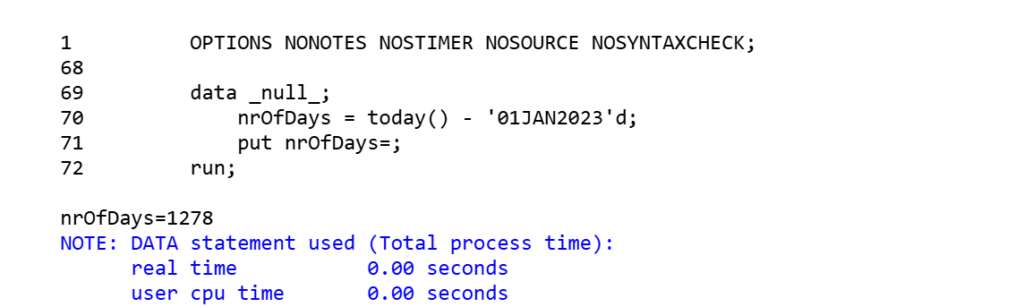
Since SAS dates are stored internally as the number of days since January 1, 1960, subtracting one date from another gives you the day difference directly. This works fine for simple day counts, but INTCK is generally preferred in production code because it’s explicit about the interval type and easier to extend (e.g., switching from 'day' to 'week' or 'month' with no other logic changes).
2. Using YRDIF for Age/Year-Based Day Calculations
If you need day counts converted into fractional years (common in tenure or age calculations), YRDIF is a useful companion function:
data _null_;
    years = yrdif('01JAN2023'd, today(), 'ACT/ACT');
    put years=;
run;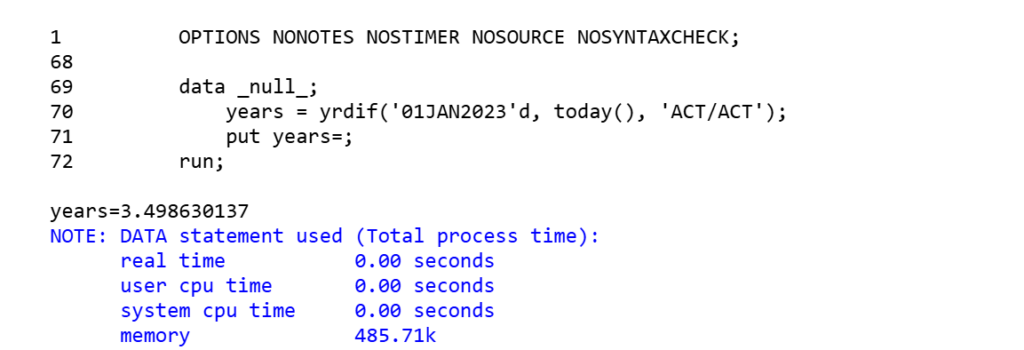
Common Mistakes to Avoid
- Forgetting the
+1adjustment —INTCK('day', start, end)counts boundaries crossed, not inclusive days. Depending on your use case, decide whether you need the+1. - Not formatting date variables — without a
date9.(or similar) format, SAS prints the raw numeric date value instead of a readable date. - Using string comparison instead of date literals — always use the
'DDMMMYYYY'dformat for date constants, not plain text strings, or SAS will treat them as character values. - Confusing
INTCKwith simple subtraction — subtraction works for basic day counts, butINTCKis safer when working with other intervals (weeks, months, quarters, years) since it understands calendar-aware boundaries.
Conclusion
Calculating the number of days in SAS comes down to two dependable tools: INTCK for counting day boundaries between two dates, and INTNX for finding reference points like the start of a year. Whether you’re building a year-to-date day counter or measuring days since a fixed date, these patterns cover the vast majority of real-world SAS date-handling needs.
If you found this useful, check out more SAS tips and tutorials on learnSASCode.com.